




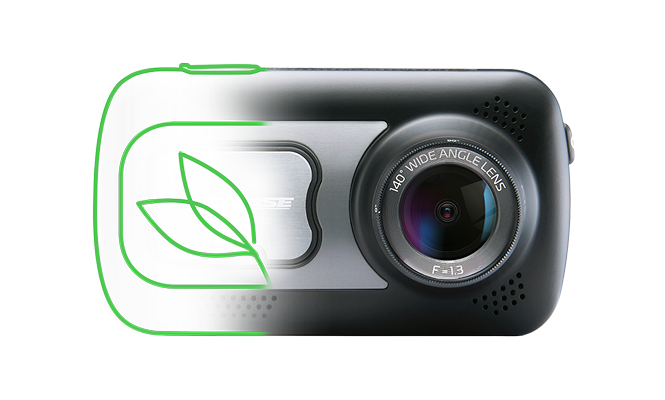




222XR Dash Cam Support

Below you'll find everything from instruction manuals and firmware upgrades to FAQs and tutorials.

222XR Dash Cam Support

Below you'll find everything from instruction manuals and firmware upgrades to FAQs and tutorials.


-

How can we help?

Setup & Installation help

Step-by-step instructions for quick and easy installation
View Instructions

Updating your firmware

Step-by-step instructions for quick and easy Update
Learn how to update

Downloading a video

Step-by-step instructions for quick and easy downloads
View instructions

Knowledge Base

How Do I Understand My Dash Cams File Names?

Dash cam file names show date, time, camera, and quality; metadata includes GPS, G-sensor, and file protection details for easy review.

Dash Cam 'Night Vision' explained

This article explains how Nextbase Dash Cams handle low‑light recording and clarifies how they differ from true night vision systems.

How to change the mount on your Series 2 Dash Cam

Learn how to remove your Series 2 Dash Cam from its powered mount and swap the adhesive plate for a suction cup mount.

How to install a Nextbase Hardwire Kit

Install a Nextbase Hardwire Kit by tapping a fuse box for constant or ignition power; permanent live enables Smart Parking, while switched suits standard use and neat wiring.

Permanent Live vs Switched Live Power

Permanent vs switched power: always-on draws 24/7 even with car off; switched only with ignition. Permanent suits parking mode; switched is best for normal use.

Fitting a Dash Cam to an electric or hybrid vehicle

Nextbase dash cams work in electric or hybrid cars via a 12V port or hardwire kit; the hardwire kit includes battery voltage cut-off protection.

What app permissions are needed for the MyNextbase Connect app?

MyNextbase Connect requires permissions like Bluetooth, Wi-Fi, GPS, and notifications to function fully.

How to connect to the MyNextbase Connect App

Enable permissions, connect dash cam via Bluetooth, join Wi-Fi, update firmware, and access files in the app.

How to download and share footage using the MyNextbase Connect app

Download clips from Dash Cam tab, view in Library, then upload to cloud and share via link with optional password.

How Do I Edit My Dash Cam Videos With MyNextbase Player?

Use MyNextbase Player to load, join, trim, annotate, add titles, adjust settings, and export dash cam videos.

Redeeming a voucher code for Emergency SOS

Open MyNextbase Connect, go to Emergency SOS, tap See Plans, select Redeem Voucher, enter your code, and confirm.

Fixing Issues With MyNextbase Connect: Resetting to Default Settings and Reinstalling the App

Reset dash cam, reinstall MyNextbase app, clear Bluetooth/Wi-Fi, restart phone, and check permissions to fix issues.

MyNextbase Player features and controls

MyNextbase Player lets you add, play, edit, share, save, and manage dash cam videos with GPS, speed, and file list controls.

Adding files Dash Cam videos in MyNextbase Player

Connect your Dash Cam via USB, select Access Files, open MyNextbase Player, add videos, and play them.

Sharing Dash Cam videos using MyNextbase Player

Share dash cam videos in MyNextbase Player by uploading to the cloud, adding email, setting a password, and sharing the link.

Loop recording

Dashcam loop recording auto-overwrites old clips to save space and ensure continuous automatic driving footage.

What Is A Protected File?

Learn what Protected files are on your Dash Cam, how they are created, why there may be so many, and how to manage them.

Firmware Release Notes

622GW: v6.4–12.6. Fixed Wi-Fi, PC, BT, freezing & Japan plates. Added Rear Cam, +13 TZ, Security & Road Safety Club.

Series 2 LEDs

Series 2 LED indicators explained: understand dash cam status lights, colors, and meanings for recording and alerts.

How Parking Mode works on a Series 2 Dash Cam

Nextbase Series 2: Wakes on impact for 30-45s. Power via battery or Hardwire Kit. Dual cams drain power faster.

Time lapse mode explained

Dashcam time-lapse mode captures continuous driving as sped-up footage, saving storage space and ideal for long trips.

Why does my Dash Cam make two files for each video?

Your Dash Cam records in both High and Low resolution simultaneously by default, enabling fast mobile streaming.

How to test your Dash Cam battery

Learn how long your Dash Cam battery should last, how to test it at home, and what to do if it fails the battery test.

How Do I Update My Dash Cam Firmware?

This article walks you through three methods to update your Dash Cam firmware: SD card, Nextbase App, and MyNextbase Player (Series 2 only).

What is Firmware and how do you Update it?

Learn what dash cam firmware is, why updates matter, and how to safely install the latest version for improved features and performance.

What to do if your Camera doesn't Power on

Learn how to troubleshoot a Dash Cam that won't turn on, including resets, SD card checks, and power supply testing.

DAB radio interference

Fix DAB radio interference caused by dash cams with simple setup tips to improve signal quality and reduce disruption.

Nextbase Service Centre Terms and Conditions (UK)

Explains Nextbase UK service terms, including repairs, fees, timelines, data responsibility, returns, and customer rights and obligations.

Extended warranty

Explains Nextbase extended warranty options, regional coverage, claim benefits, eligible models, and exclusions.

Download Center

Manuals

Choose your manual from the dropdown to download.

Software

Here is the latest version of the MyNextbase Player computer software.

The minimum system requirements to allow this software to function are: Windows 7 OR MacOS 10.9, Processor: Intel Core i5, Memory: 4GB, Display resolution: 1280 x 720 or higher.

Firmware

Here you can find the latest firmware.

Updating instructions here.


Mobile Apps

Apps for your product

        The 222XR is not mobile app compatible.

Videos
Video Placeholder
How to install a Nextbase Series 2 Dash Cam
Video Placeholder
How to Hardwire a Nextbase Dash Cam
×

Still have a Question?

We've got you

24 Online Customer Service