


















Exclusive
Bundles
Create your perfect Nextbase Dash Cam bundle with cameras and accessories, and enjoy exclusive online discounts. All Bundles are EXCLUDED from the 2025 Boxing Day offer.
Exclusive Bundles
All Bundles are EXCLUDED from the 2025 Boxing Day offer.
THE ULTIMATE DASH CAM PACKAGE
Bundle the award-winning Nextbase 622GW 4K Dash Cam with the exclusive 256GB SD card and the Nextbase Rear Window Camera
Awards
T3 Awards
Auto Express Awards - 2021
Sieger 2021
EISA Award
"The 622GW is a hugely impressive dash cam."
- T3 Awards
Includes:
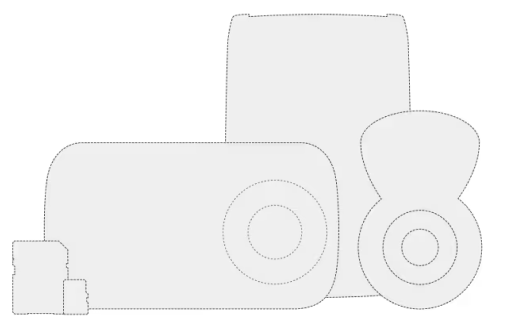
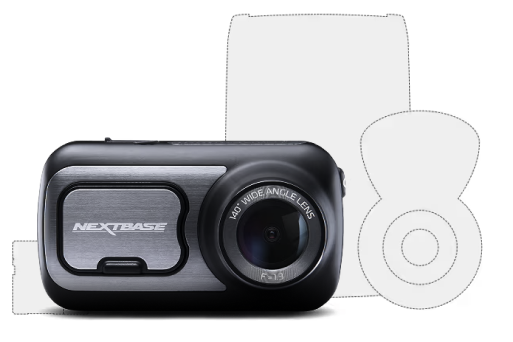
622GW Dash Cam | 256GB SD card | Rear Window Camera | Carry Case
Awards
T3 Awards
Auto Express Awards - 2021
Sieger 2021
EISA Award
"The 622GW is a hugely impressive dash cam."
- T3 Awards
Awards
Auto Express 2024 Winner
TIME Best Inventions
Best of CES 2022
"This is the first dash cam in years that really seems to move the market on"
- Auto Express 2024
THE SMART DASH CAM BUNDLE
Bundle the iQ 4K and iQ Rear Window Cam. Predict threats and use smart alerts to protect your car. Step in when something happens. All thanks to the world's first truly Smart Dash Cam.
Awards
Auto Express 2024 Winner
TIME Best Inventions
Best of CES 2022
"This is the first dash cam in years that really seems to move the market on"
- Auto Express 2024
Includes:
iQ 4K Smart Dash Cam | 64GB SD Card | iQ Rear Window Camera
THE SMALL & MIGHTY BUNDLE
Enhance your Piqo 1K with a 32GB SD Card and Piqo Pouch. It's a small, but powerful Dash Cam for your vehicle. Compact, high definition and always on guard. On the move, or parked, Piqo protects.
Includes:
Piqo 1K Dash Cam | 32GB SD Card | Piqo Pouch
AN EXCLUSIVE BUNDLE WITH FULL HD
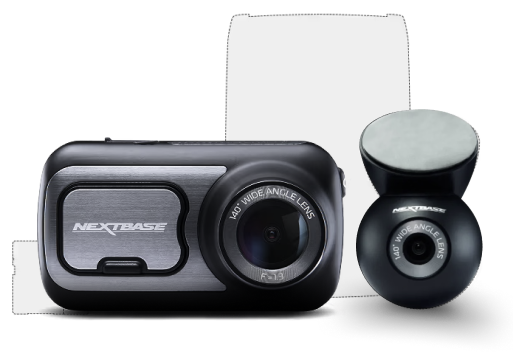
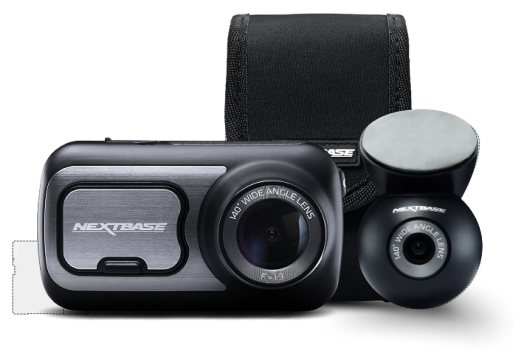
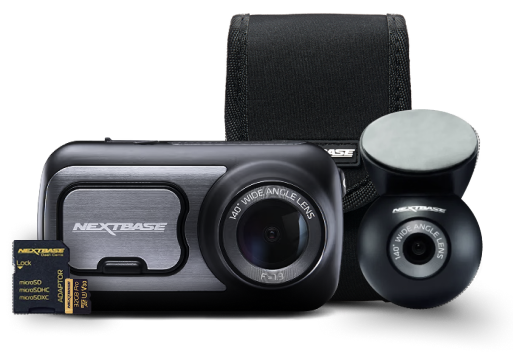
Enhance your Full HD 322GW with the Nextbase Rear Window Camera to guard against tailgaters and rear-end impacts, and a 32GB Micro SD Card.
Includes:
322GW Dash Cam | 32GB SD Card | Rear Window Camera | Reflection-free Lens | Carry Case
Build your own bundle and save
We understand that small details make a big difference, which is why we offer total flexibility. Whether you're a taxi driver or a busy parent, you can choose the add-ons that work best for you and your car.
Choose a Dash Cam combo to enhance your daily drive or build your own

Professional fitting
We come to you for total convenience
Our approved engineers visit your home or work and hardwire your Dash Cam for a tidy install and uninterrupted power. Nationwide coverage.
Buy from the people who make it
Drivers get more value when they buy direct from Nextbase
Get It Tomorrow
Order by 8pm
Free next-day delivery on all Dash Cam orders
Build Your Bundle
Save up to 5%
Cameras and add-ons, choose the package that suits you best
Pro Fitting, Zero Hassle
At home or work1
Hardwired by Nextbase-approved engineers nationwide
Spread the Cost
3 or 6 payments
Pay your way with Klarna, PayPal or Nextbase Pay
Buy from the people who make it
Drivers get more value when they buy direct from Nextbase
Get It Tomorrow
Order by 8pm
Free next-day delivery on all Dash Cam orders.
Build Your Bundle
Save up to 5%
Cameras and add-ons, choose the package that suits you best.
Pro Fitting
At home or work1
Hardwired by Nextbase-approved engineers nationwide
Spread the Cost
3 or 6 payments
Pay your way with Klarna, PayPal or Nextbase Pay
Dash Cam FAQs
When buying a Dash Cam — whether you’ve never used one before or you’re upgrading to a different model — you may have a few questions. Below, we’ll answer the most popular questions to help you with the purchasing and installation process
How to install a Dash Cam?
Installing your Dash Cam can be done quickly and easily. It typically requires a few steps including charging your camera, downloading the Nextbase app, inserting your Nextbase U3 Micro SD card, positioning and mounting your camera, connecting your Dash Cam to power, and following the instructions on the screen. For a step-by-step guide on how to set up your Dash Cam follow our setup and install guide for a seamless installation process.
What`s a Smart Dash Cam?
Smart Dash Cams are some of the most advanced on the market. They offer a range of features and implement the latest technology to keep you safe on the road. Some of these features include voice control, smart sense parking, witness mode which allows you to send live footage to a contact as it’s happening, and cloud storage. These Dash Cams offer some of the highest-quality images to capture the tiniest details.
How much is a Dash Cam?
Dash Cam prices differ depending on video quality and the features the Dash Cam offers. Generally, entry-level Dash Cams like the 122 Dash Cam can provide peace of mind when driving for as little as £59. More advanced smart Dash Cams like the IQ 4K can cost up to £500. There is a Dash Cam to suit all budgets depending on the features you’re looking for.
Do Dash Cam record all the time?
Dash Cams will record as soon as you turn your vehicle on, so you don’t have to worry about remembering to do so. Dash cams feature loop recording which allows older, unused footage to be recorded over so you don’t have to worry about running out of storage space.
If your car is bumped when you’re parked, your Dash Cam will turn on and record automatically, even when you’re not there. This means you can capture any bumps or knocks to your car and use the footage to send it to your insurer.
Which is the best Dash Cam?
The best Dash Cam depends on your preferences as various models offer a range of capabilities. If you’re looking for an advanced Dash Cam with features like smart sense parking, AI movement monitors to detect potential threats, and the ability to share live footage as it’s happening, the IQ Smart Dash Cam is the most advanced option.
Can I install my Dash Cam myself?
Yes, you can use our set-up and installation guide to install your Dash Cam without any further assistance. If you do need help when it comes to setting up your Dash Cam, feel free to get in touch with us and we can provide support to help you through the installation process
Dash Cam key features
Nextbase Dash Cams offer a range of key features as standard, some of which include:
HD Resolution
All Nextbase Dash Cams offer HD footage. The resolution varies depending on the model you choose, but with Nextbase, you can have peace of mind your Dash Cam will capture the smallest detail when you need it most in up to 4K.
Wide viewing angles
Your Dash Cam can protect your car even when you’re not there. If you are bumped when parked, your Dash Cam will register the impact and immediately begin recording its surroundings for evidence.
G-Sensor
The G-sensor in your Dash Cam registers any impact over a pre-set value. When your Dash Cam registers this impact, it automatically protects the footage captured during this time. This also ensures this footage cannot be recorded over and lost.
Night vision
If you’re driving at night, you can feel more secure with the night vision feature. Night vision allows for a clear picture in the early hours or late at night, so you don’t have to worry about missing any essential details in footage captured in low light.
Loop recording
Dash Cams offer loop recording, which means you won’t miss a thing. When your ignition is on, so is your Dash Cam. It captures footage throughout your journey, recording over old footage that is not needed. This means you don’t have to worry about your Dash Cam failing to record, or running out of storage space.